

1. Sign up
Head to promptjuggler.com and create an account. Free tier, no credit card, no sales call.2. Create your workspace
First time in? You’ll be asked to name your workspace – this is where your prompts, workflows, and team live. Pick a name, confirm, and you’re in.3. Add your LLM provider key
Go to Settings, select your preferred provider, paste your API key into the input field, and hit Save.4. Create your first prompt
Click the + next to Prompts in the sidebar. You’ll see the prompt editor with two main sections – system instruction and messages – plus a toolbar for model selection, parameters, tools, memory, and more. Give the model some personality in the system instruction. Add a user message, and try the{{placeholder}} syntax: anything in double curly braces becomes an input field at run time.
Tell me something surprising about {{topic}}Pick a model from the toolbar, and you’re ready.
5. Run it
At the bottom right of the screen, you’ll find the run form with input fields for each placeholder you defined. Type something in, hit Run, and watch.6. Read the results
The right pane shows your run: duration, token usage, and cost at the top, followed by the conversation – your message and the model’s response. Clean and immediate.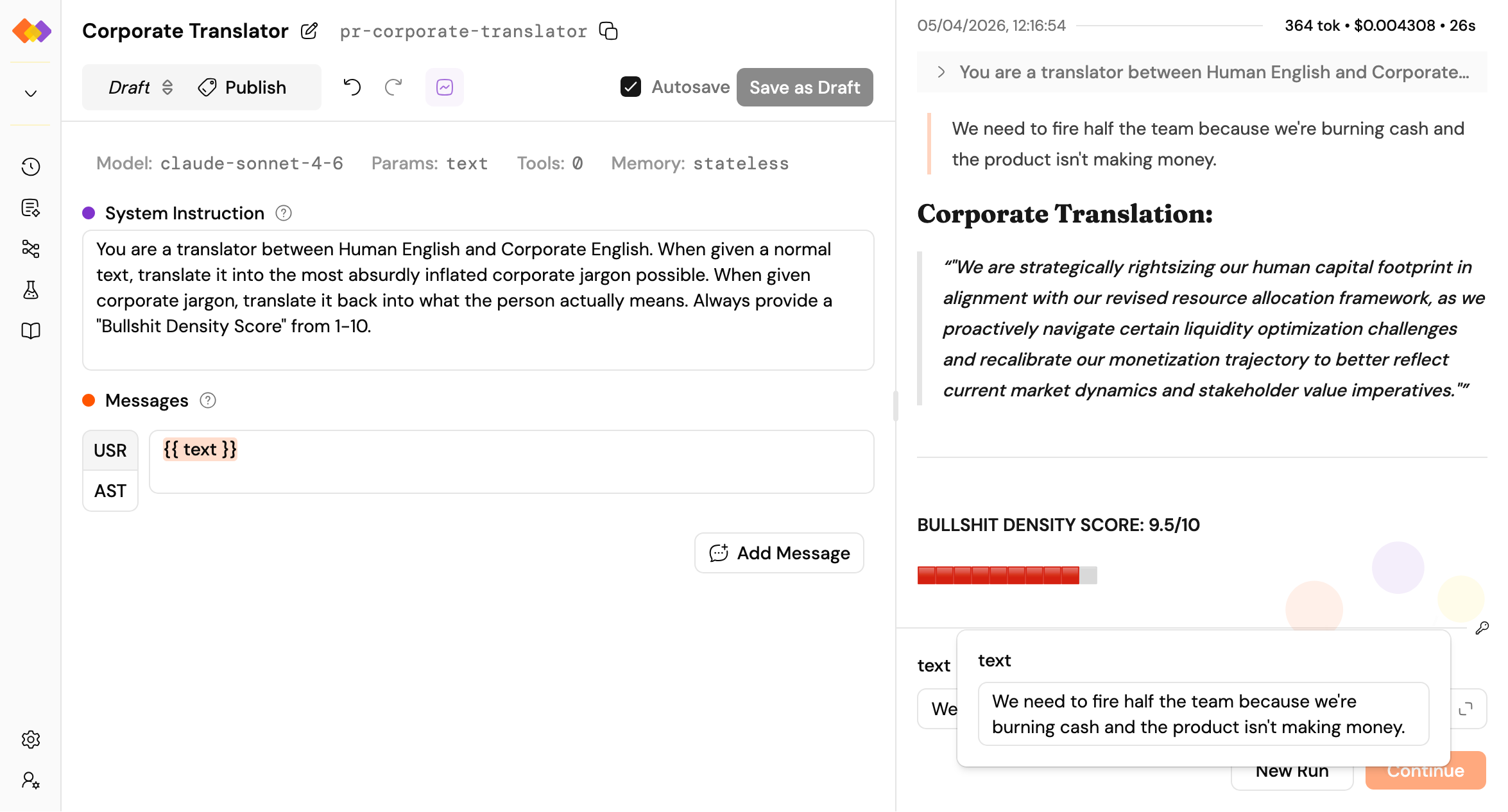
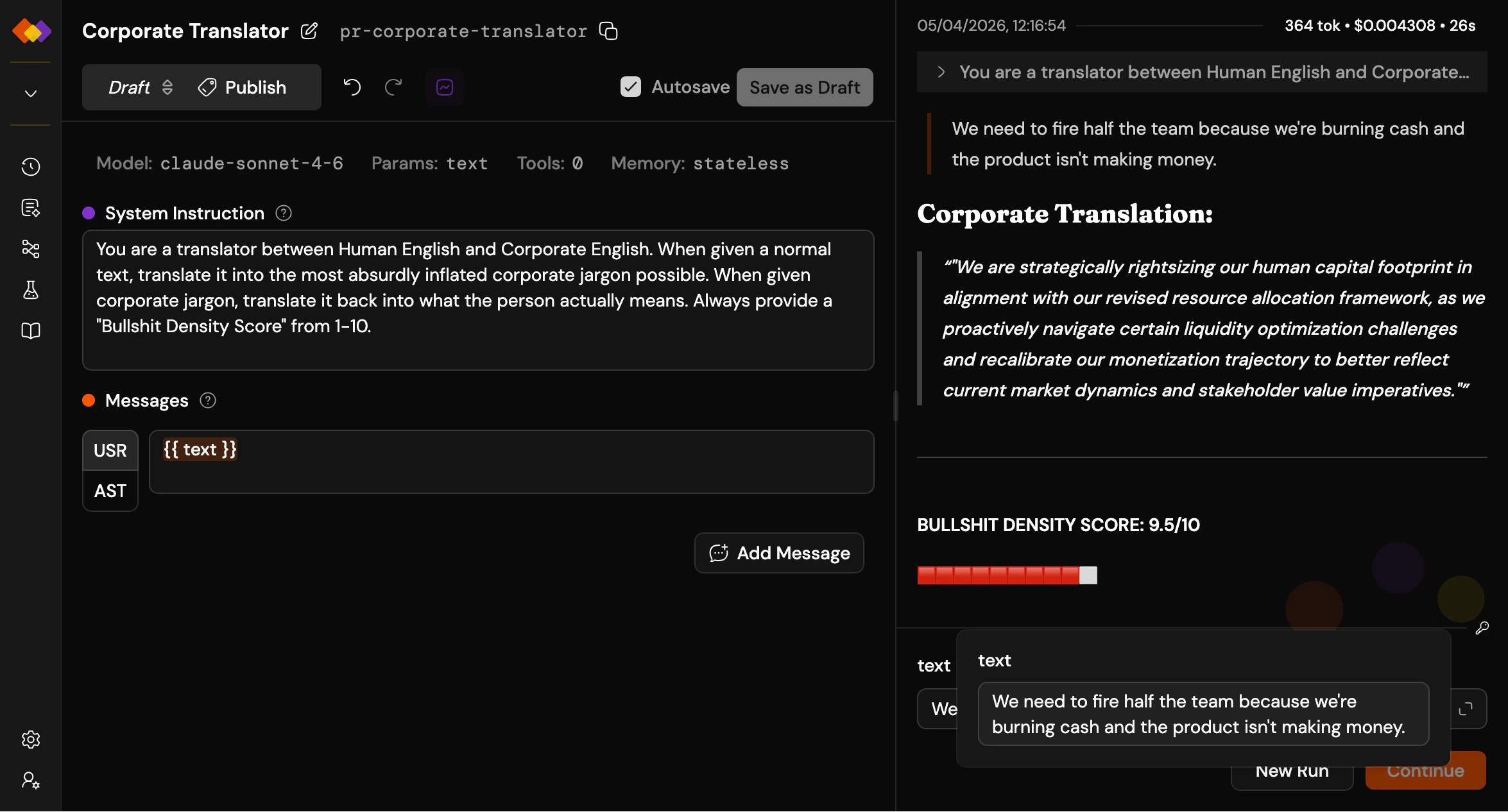
A prompt with a placeholder, filled in and run — that's the whole loop
What’s next?
The path forks here – and that’s the point. Pick whichever direction sparks your curiosity:Iterate
Tune your prompt, tweak the parameters, try a different model.
Version it
Pin a version so you can reference it in workflows or call it from the API.
Build a workflow
Wire multiple prompts into a pipeline with branching, loops, and parallel execution.
Test it properly
Run your prompt against a dataset and measure whether your changes actually helped.