

How evaluations work
An evaluation is a workflow with a twist. You build it on the same canvas as a regular workflow, but with two special features:- The Input node connects to dataset columns – instead of free-form user input, each input maps to a column in your dataset. When the evaluation runs, every row becomes a separate workflow run.
- SUT marking – select any Prompt or Workflow node and mark it as the System Under Test (look for the beaker icon in the node’s toolbar). Token usage, cost, and duration metrics will only count the SUT nodes, so your measurement reflects what you’re actually testing, not the scaffolding around it.
The evaluation page
The layout extends the workflow page with a bottom pane containing two tabs: Dataset – a spreadsheet-style editor for your test data. Add rows and columns, import from CSV, edit cells directly. For multi-turn testing, mark a column as a thread identifier using the column header menu: rows sharing the same thread value will run sequentially against the same conversation. Run – shows the results of the currently selected evaluation batch as a grid. Each row maps to a dataset row: inputs, outputs, assertion results, and an aggregated score. The score is a weighted average of your assertion outcomes – each Assertion node carries a weight from 0 to 1. A dropdown next to the tabs lets you switch between past evaluation batches (labelled with dates and version numbers), and the Run button kicks off a new batch.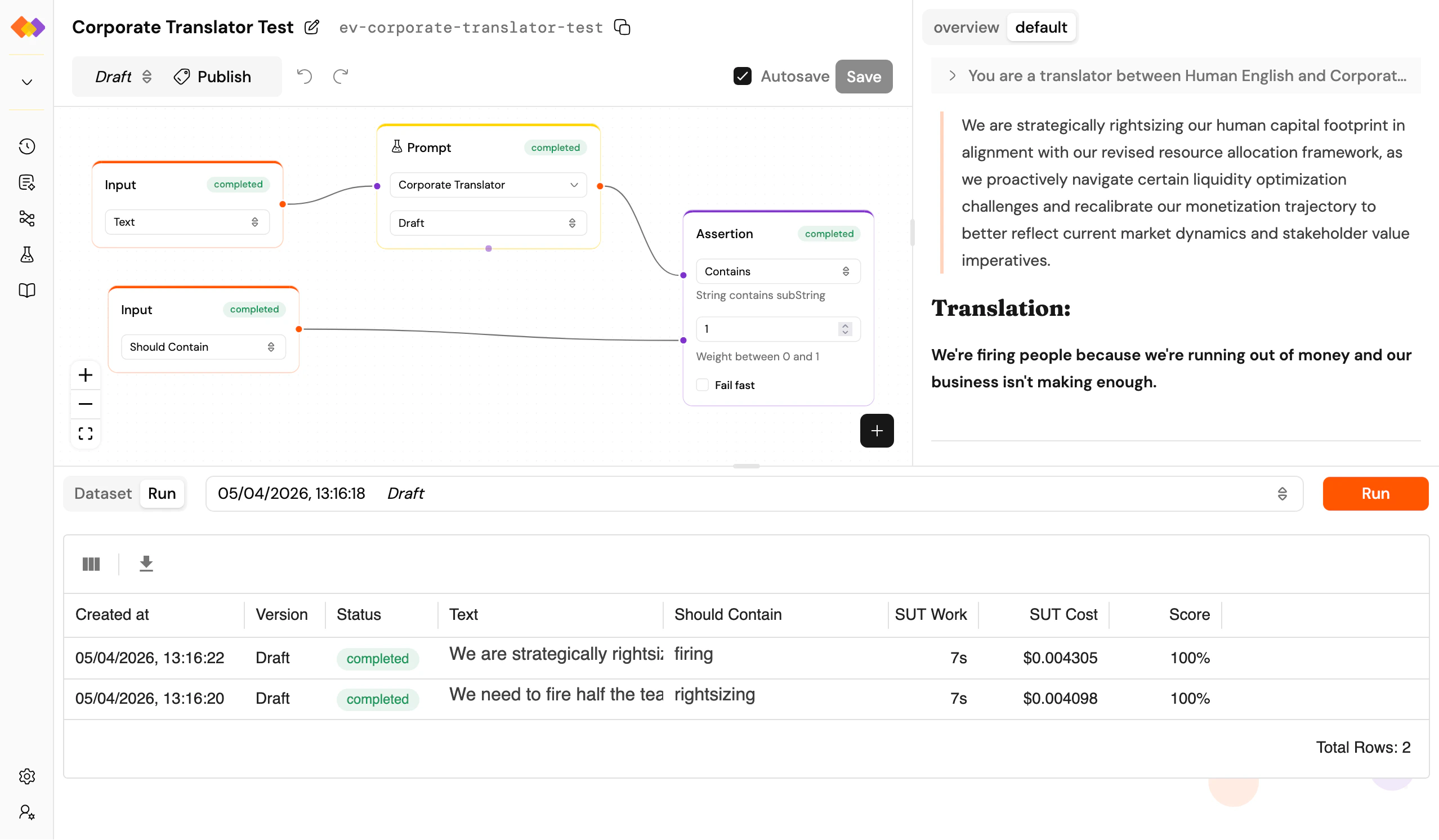
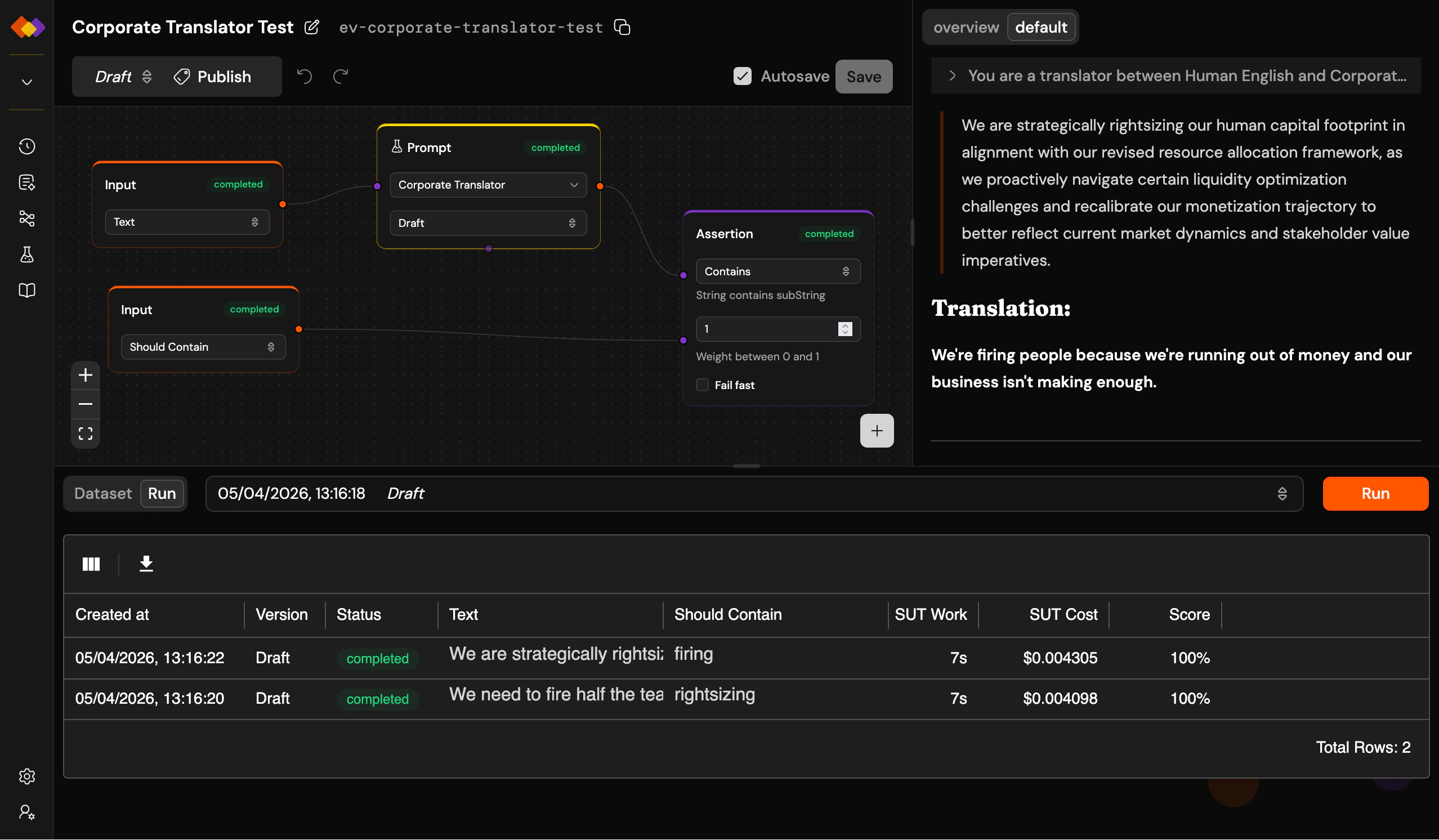
An evaluation batch: dataset rows scored, individual run details on the right